Export XY points as ArcInfo GENERATE text
All vector examples · Vector Raster plugin
Write the three site IDs and their coordinates to a small, human-readable GENERATE file.
Before you begin
Download and set up the example project. This walkthrough uses Apache Hop 2.19.0, distribution 0.2.1-SNAPSHOT.build.35761791293.1, with the local run configuration. Keep the supplied input unchanged and use a writable output directory.
Download generate.hpl · Complete project ZIP
The individual pipeline requires the data and project configuration from the complete ZIP.
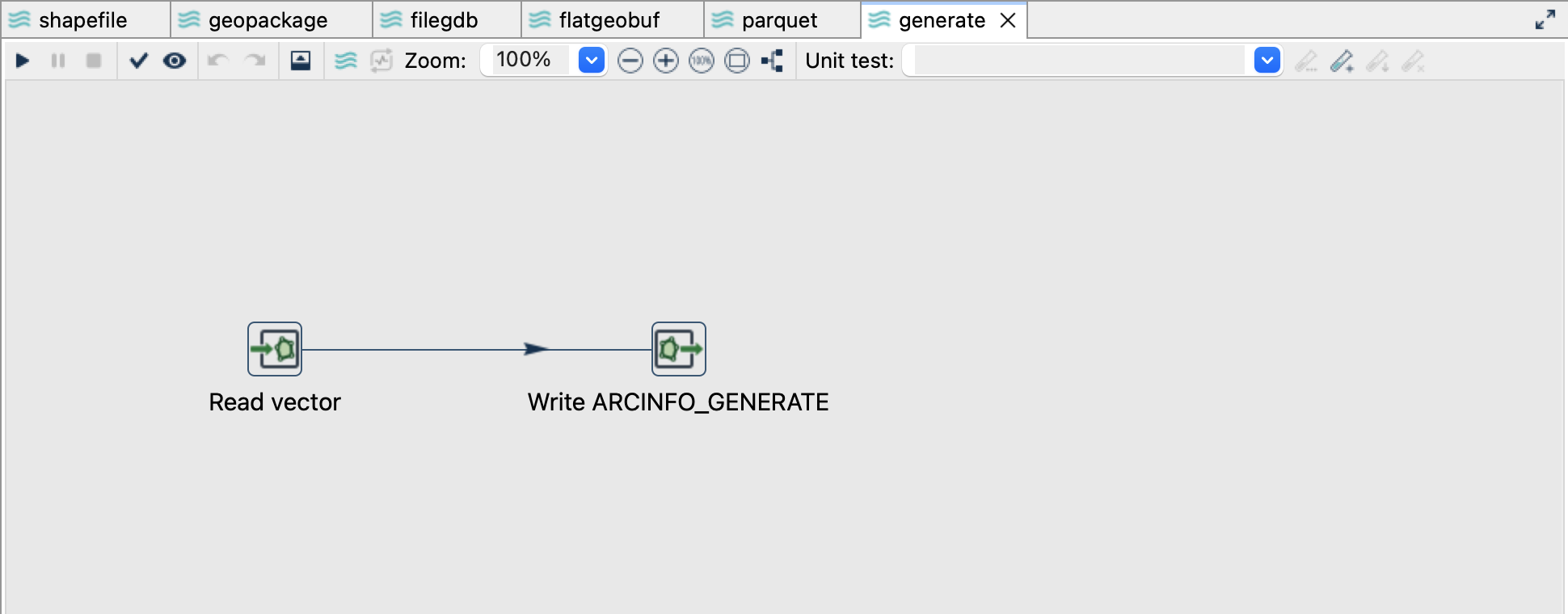
Read the source
- Open
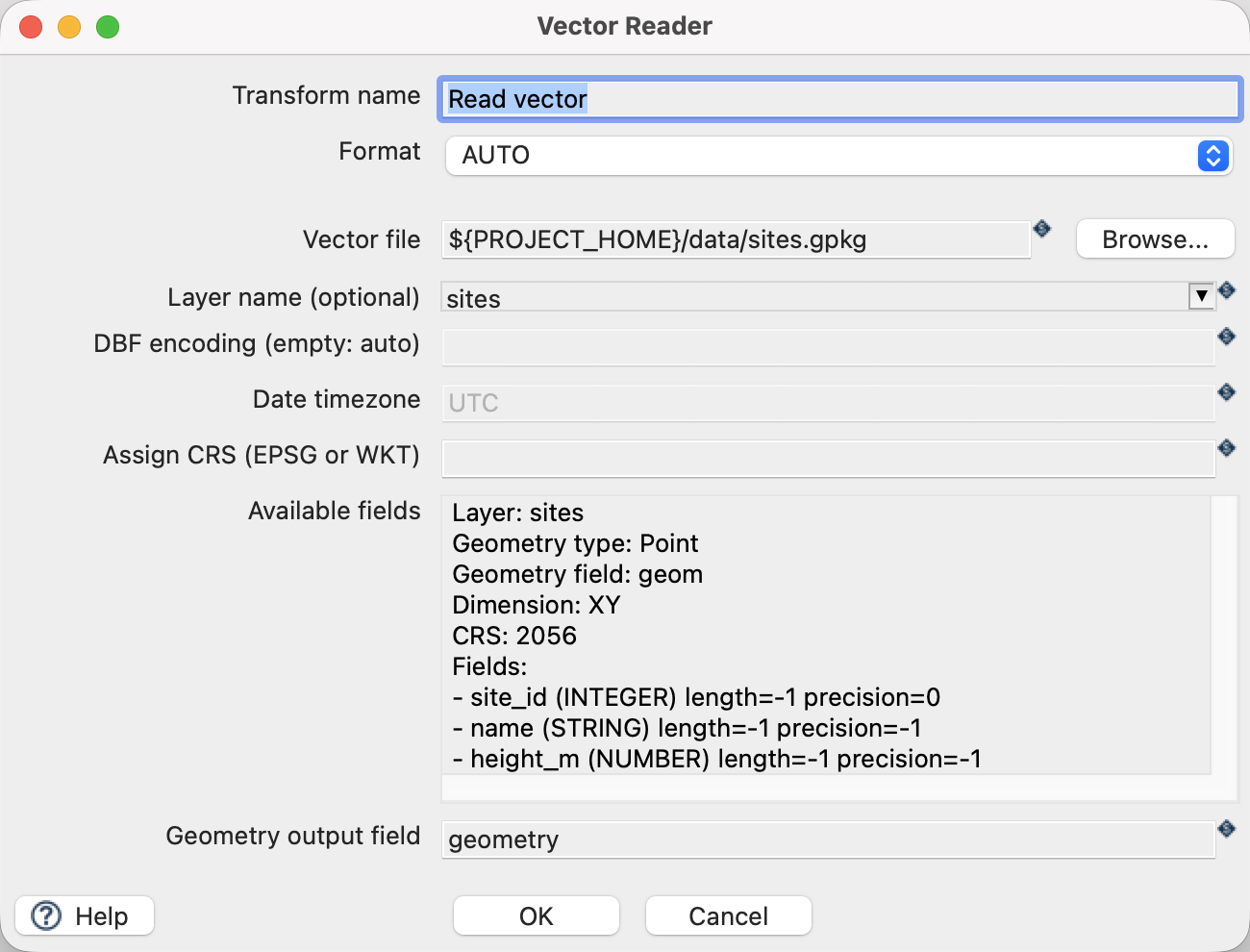
generate.hplfrom the example project. - Click Read vector and choose Edit. The file is
${PROJECT_HOME}/data/sites.gpkg, formatAUTO, layersites, and geometry output fieldgeometry. - Use the source schema/preview controls to inspect the fields. Expect
site_id,name,height_mand a geometry field. The source contains three point features in EPSG:2056. - Close the reader dialog with OK, then click the writer and choose Edit.
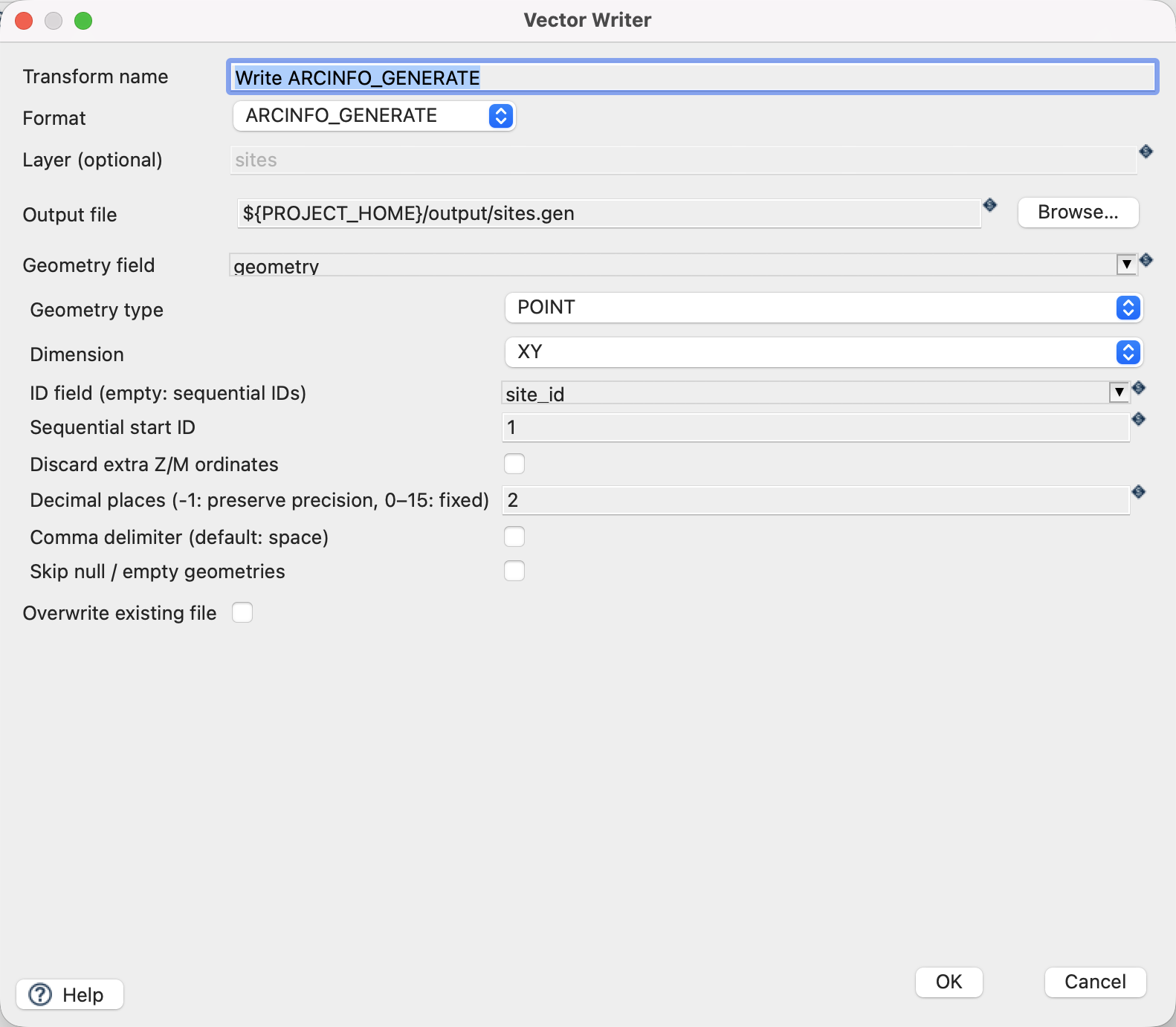
Configure the writer
| Setting | Value |
|---|---|
| Format | ARCINFO_GENERATE |
| Output file | ${PROJECT_HOME}/output/sites.gen |
| Geometry field | geometry |
| Geometry type | POINT |
| Dimension | XY |
| ID field | site_id |
| Decimal places | 2 |
| Comma separator | Off |
| Skip empty | Off |
| Overwrite existing file | Off |
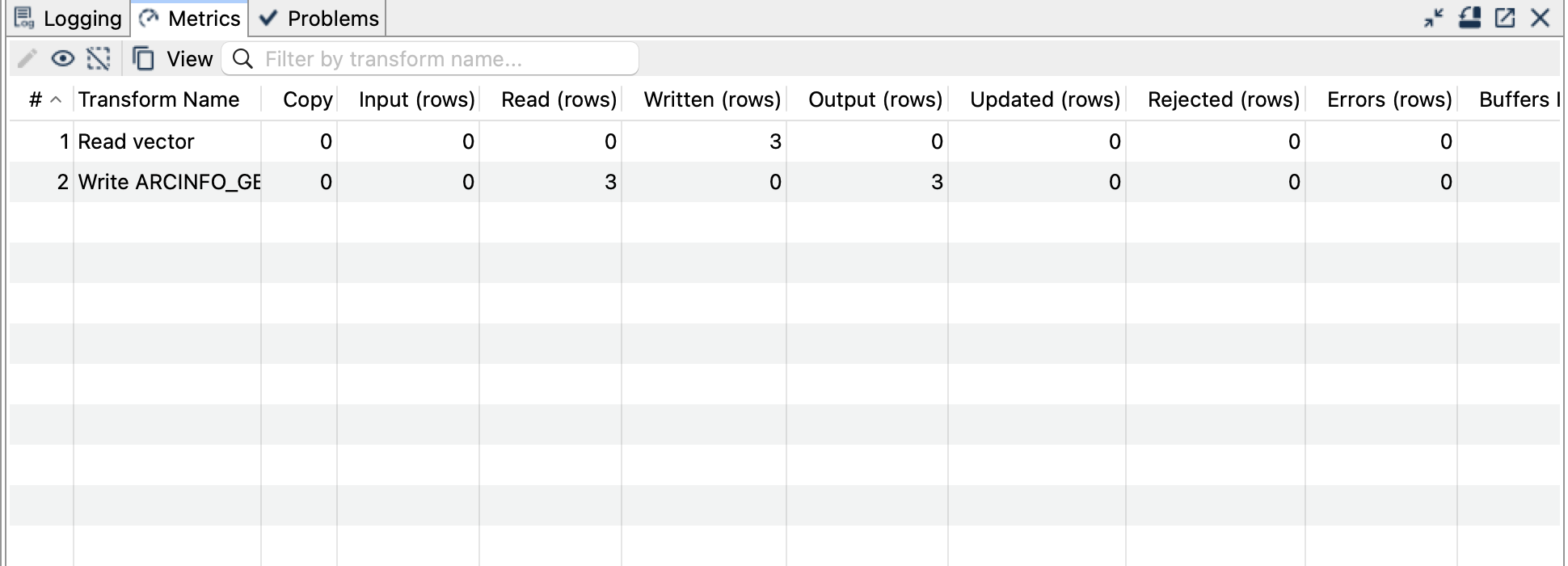
Run and check the result
Run generate.hpl, then open the output with a text editor. The complete expected result is:
1 2600000.00 1200000.00
2 2600100.00 1200050.00
3 2600200.00 1200100.00
END
Each line is ID X Y. The final END terminates the file. There is no attribute table: name and height_m are intentionally absent. Document EPSG:2056 alongside the exported file because GENERATE does not embed CRS metadata.
Things to watch out for
- The ID field must be an integer. Without one, generated IDs begin at the configured start value; uniqueness is not checked automatically.
- Point, line and polygon dialects differ. Ensure the receiving tool expects the selected dialect; not every
.genimporter accepts every variant. - Only simple homogeneous geometries are supported. Multipart geometries, collections, curves and polygon holes need appropriate upstream processing.
- XY and XYZ are different output modes. A numeric height attribute does not make an XY geometry an XYZ geometry.
- Rounding can change geometry. This example rounds to two decimals without changing its integer coordinates; use appropriate precision for real data.
- Arbitrary attributes and CRS are not embedded. Vector Reader cannot read GENERATE output.
The CRS controls assign a coordinate reference system; they do not reproject coordinates. All coordinates in this example already use EPSG:2056.