Clip a raster by bounding box
Runnable Spatial Hop raster tutorial with sample data and actual Hop screenshots.
All raster tutorials · Vector Raster plugin
Extract a 250 × 250 metre square while retaining the original 0.25-metre cell grid.
Before you begin
Set up the complete raster project. Tested on 3 October 2026, Apache Hop 2.19.0, Java 21.0.10, with the plugin builds recorded in the ZIP’s tested-environment.json. Use the local run configuration.
Complete project ZIP. Individual pipelines need the data and metadata from that ZIP.
Configure the clip
- Open
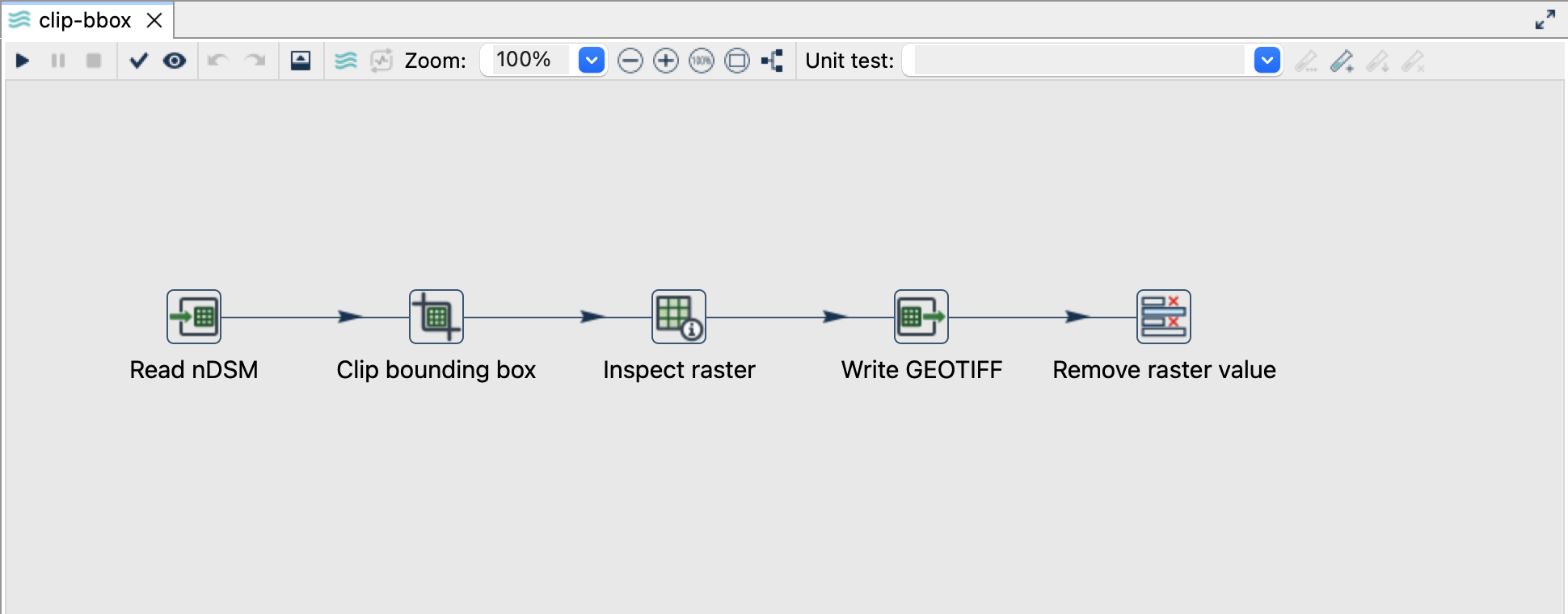
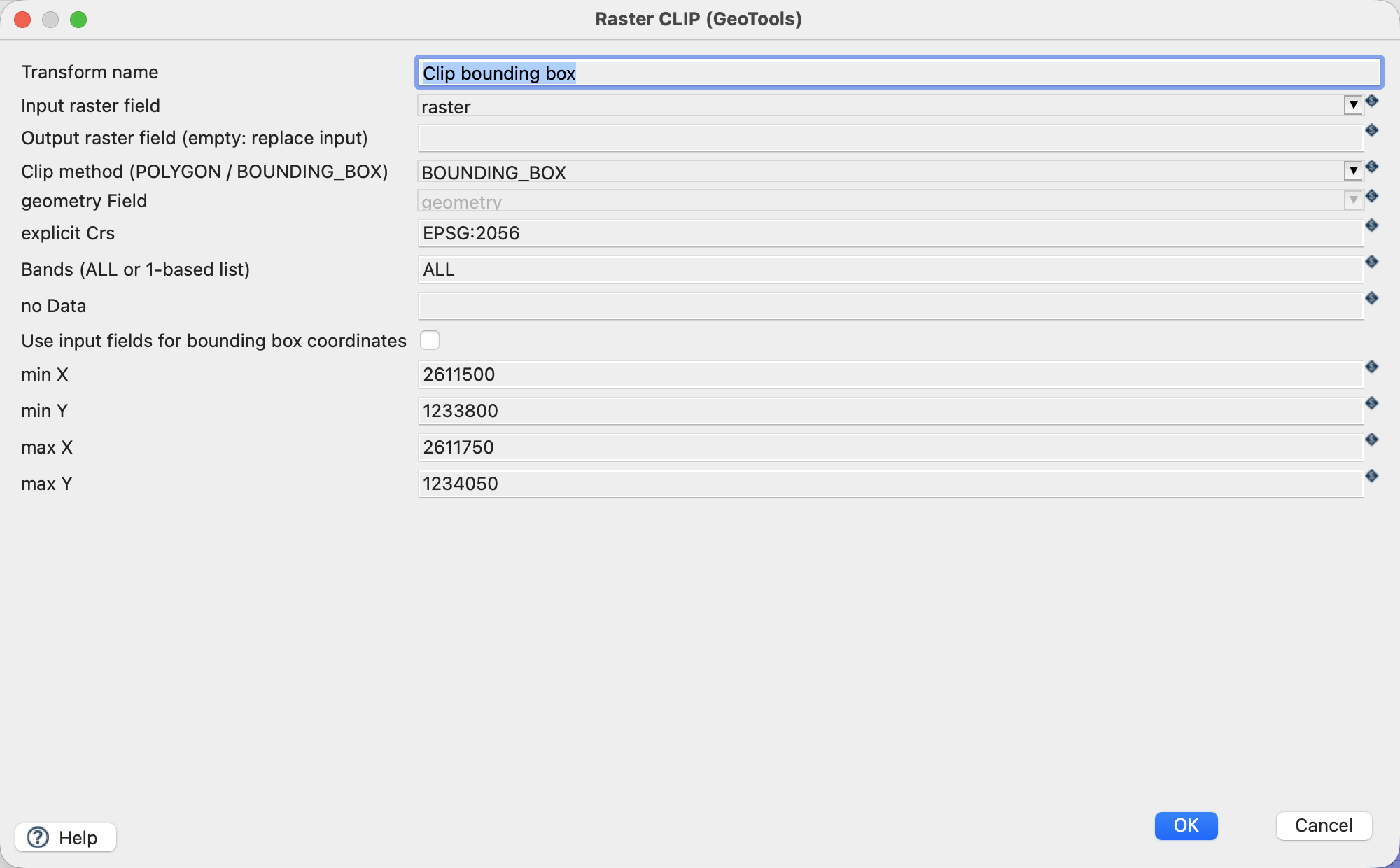
clip-bbox.hpl. Read nDSM uses the bundled${PROJECT_HOME}/data/ndsm-2019.tif. - Click Clip bounding box → Edit and use the settings below.
- Leave the output raster field empty to replace the input
rastervalue. Inspect raster describes the derived crop; Write GEOTIFF materialises it.
| Setting | Value |
|---|---|
| Input raster / clip method | raster / BOUNDING_BOX |
| Explicit CRS | EPSG:2056 |
| min X / min Y | 2611500 / 1233800 |
| max X / max Y | 2611750 / 1234050 |
| Bands | ALL |
| NoData override | Empty: inherit the source |
| Writer path | ${PROJECT_HOME}/output/clip-bbox.tif |
Run and check
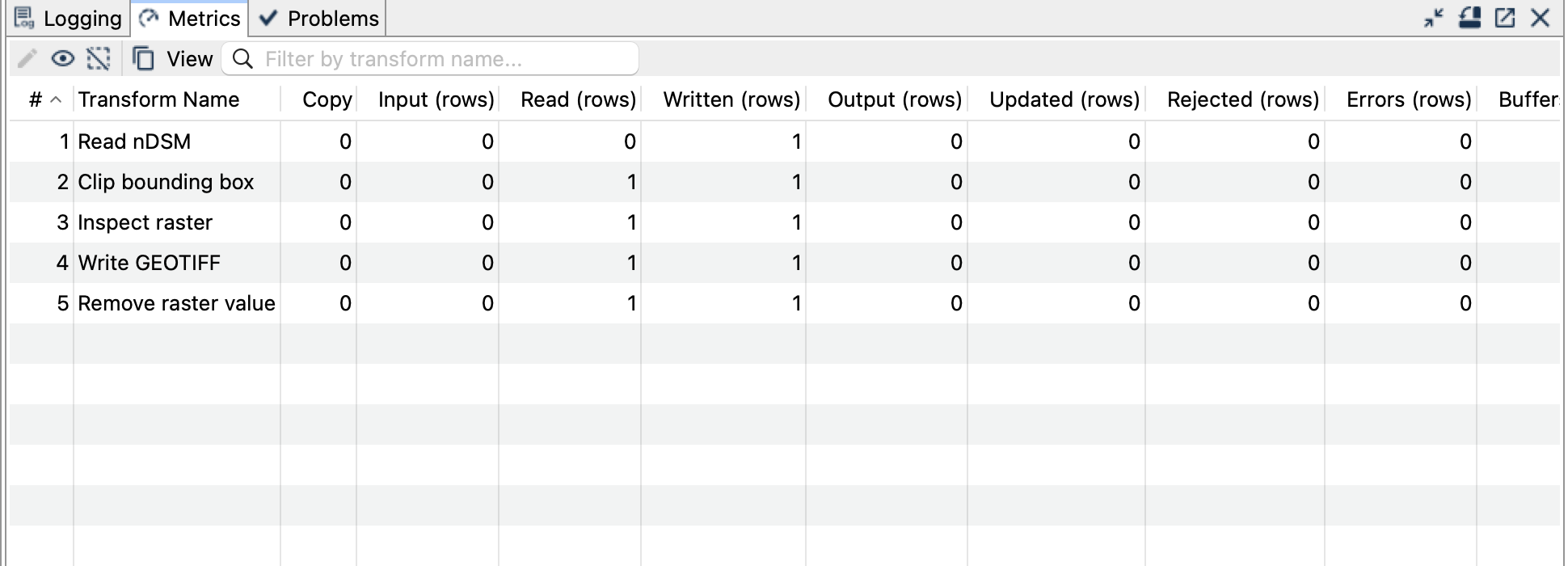
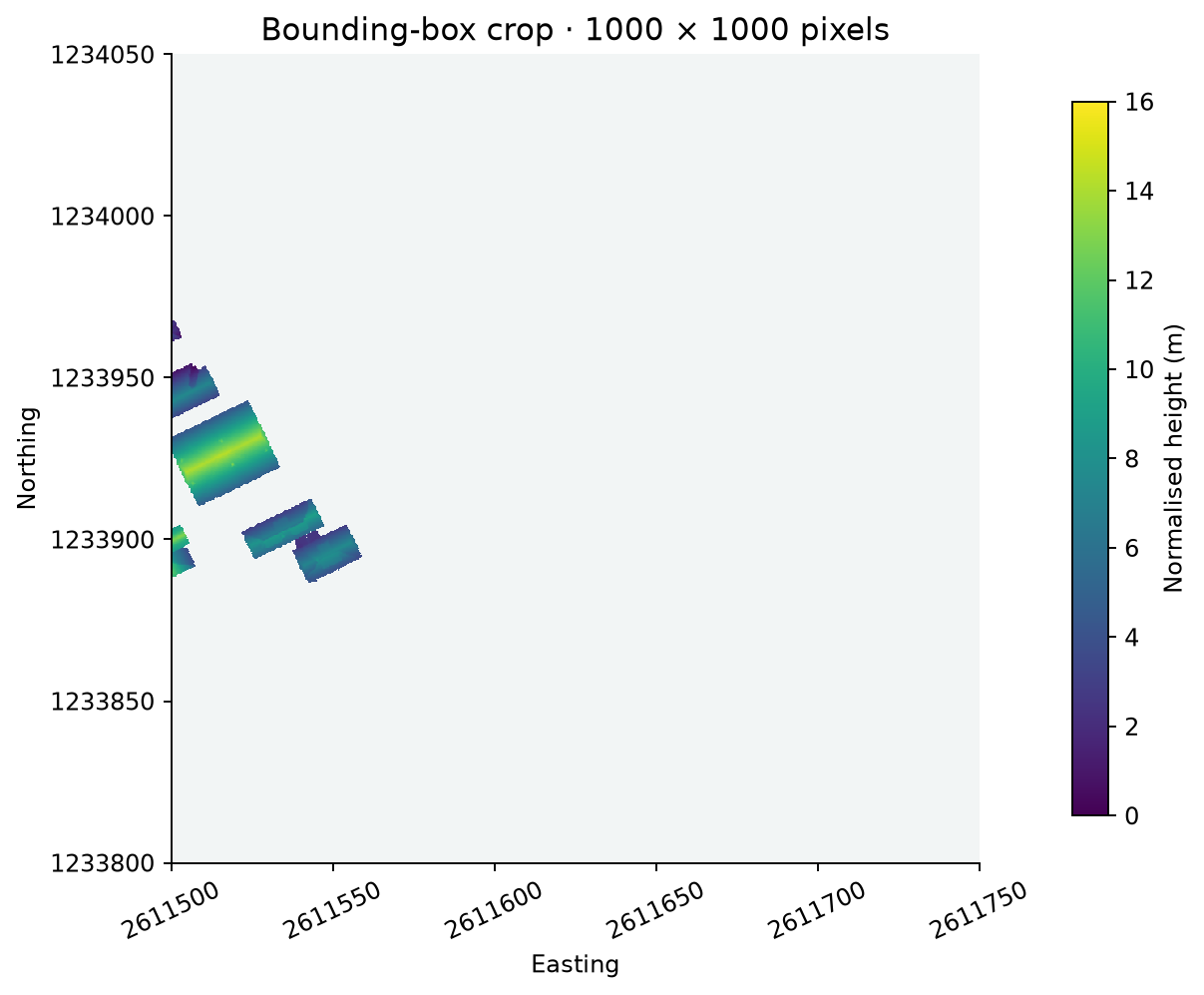
Expect one output file with 1000 × 1000 pixels in EPSG:2056. Its extent is exactly the specified box, its pixel size remains 0.25 m, and its samples match the corresponding source window. NoData stays -9999.
Things to watch out for
- Box coordinates belong to the explicit CRS, not to an assumed screen/map CRS.
- Clip preserves the source grid. A box not aligned to pixel edges can produce an extent rounded to overlapping source cells.
- Clip does not write a file; connect a Writer or another raster consumer.
- A crop can contain mostly NoData. Check the valid samples as well as its dimensions.
- The sample output already exists after one run; choose a new filename or remove it before rerunning.