Write a Shapefile and read it back
All vector examples · Vector Raster plugin
Export the three sites as an ESRI Shapefile while preserving the names and numeric attributes. Then read the generated file back through Vector Reader.
Before you begin
Download and set up the example project. This walkthrough uses Apache Hop 2.19.0, distribution 0.2.1-SNAPSHOT.build.35761791293.1, with the local run configuration. Keep the supplied input unchanged and use a writable output directory.
Download shapefile.hpl · Complete project ZIP
The individual pipeline requires the data and project configuration from the complete ZIP.
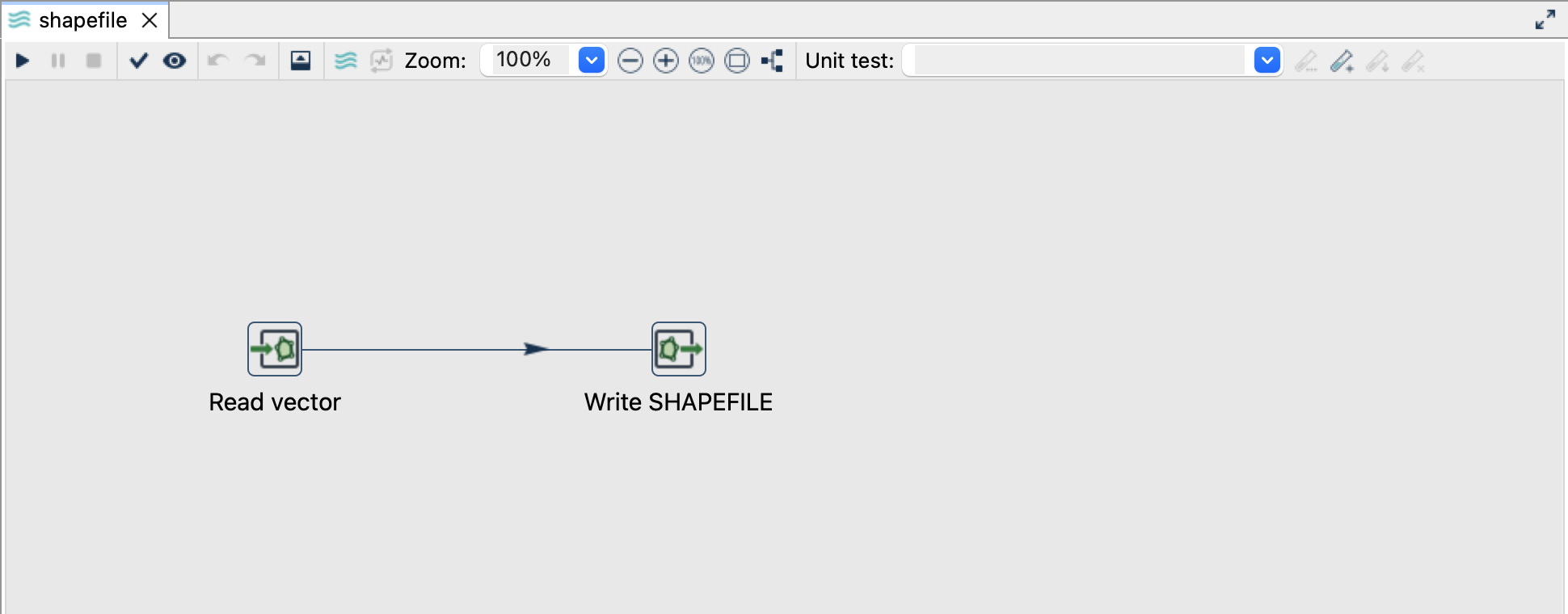
Read the source
- Open
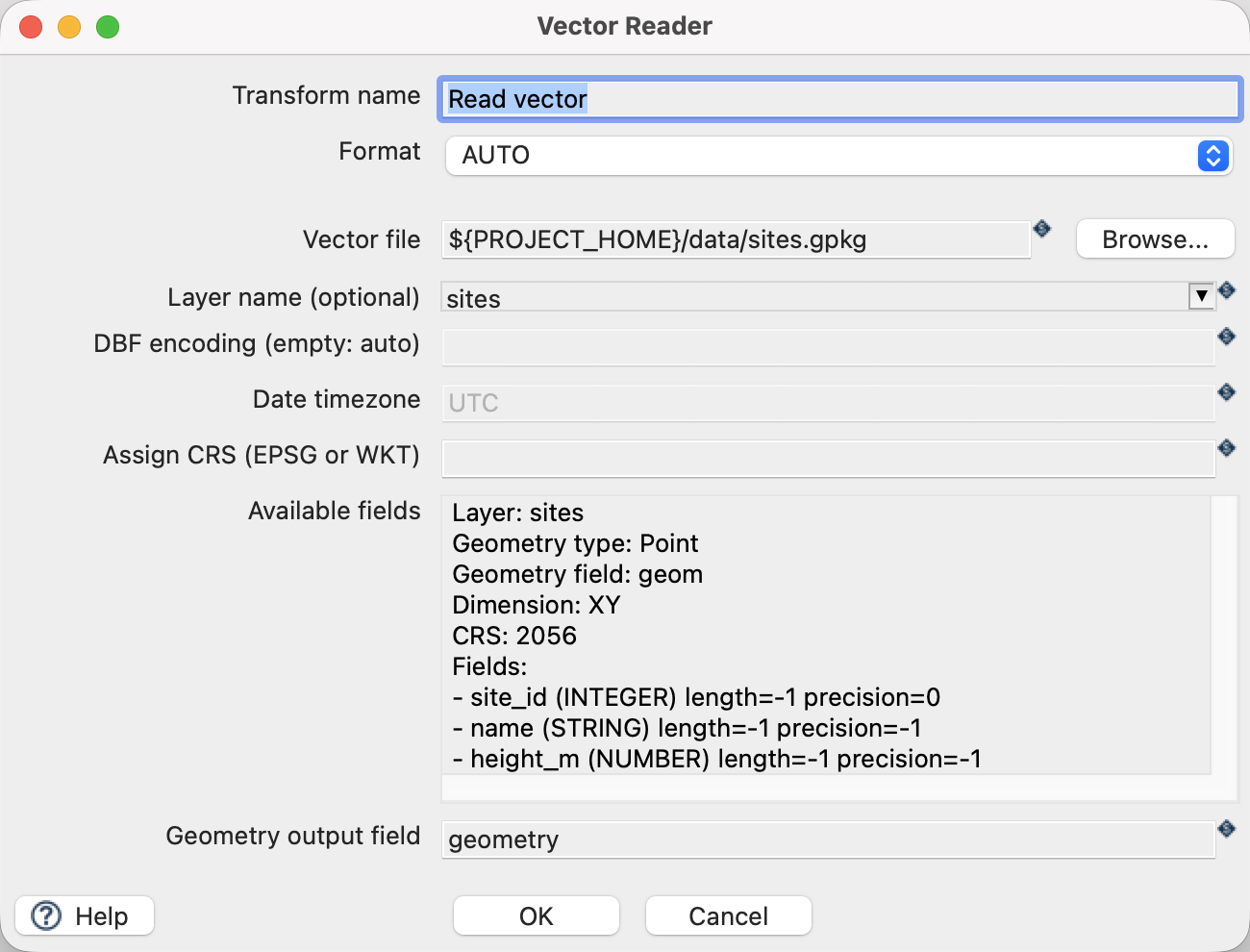
shapefile.hplfrom the example project. - Click Read vector and choose Edit. The file is
${PROJECT_HOME}/data/sites.gpkg, formatAUTO, layersites, and geometry output fieldgeometry. - Use the source schema/preview controls to inspect the fields. Expect
site_id,name,height_mand a geometry field. The source contains three point features in EPSG:2056. - Close the reader dialog with OK, then click the writer and choose Edit.
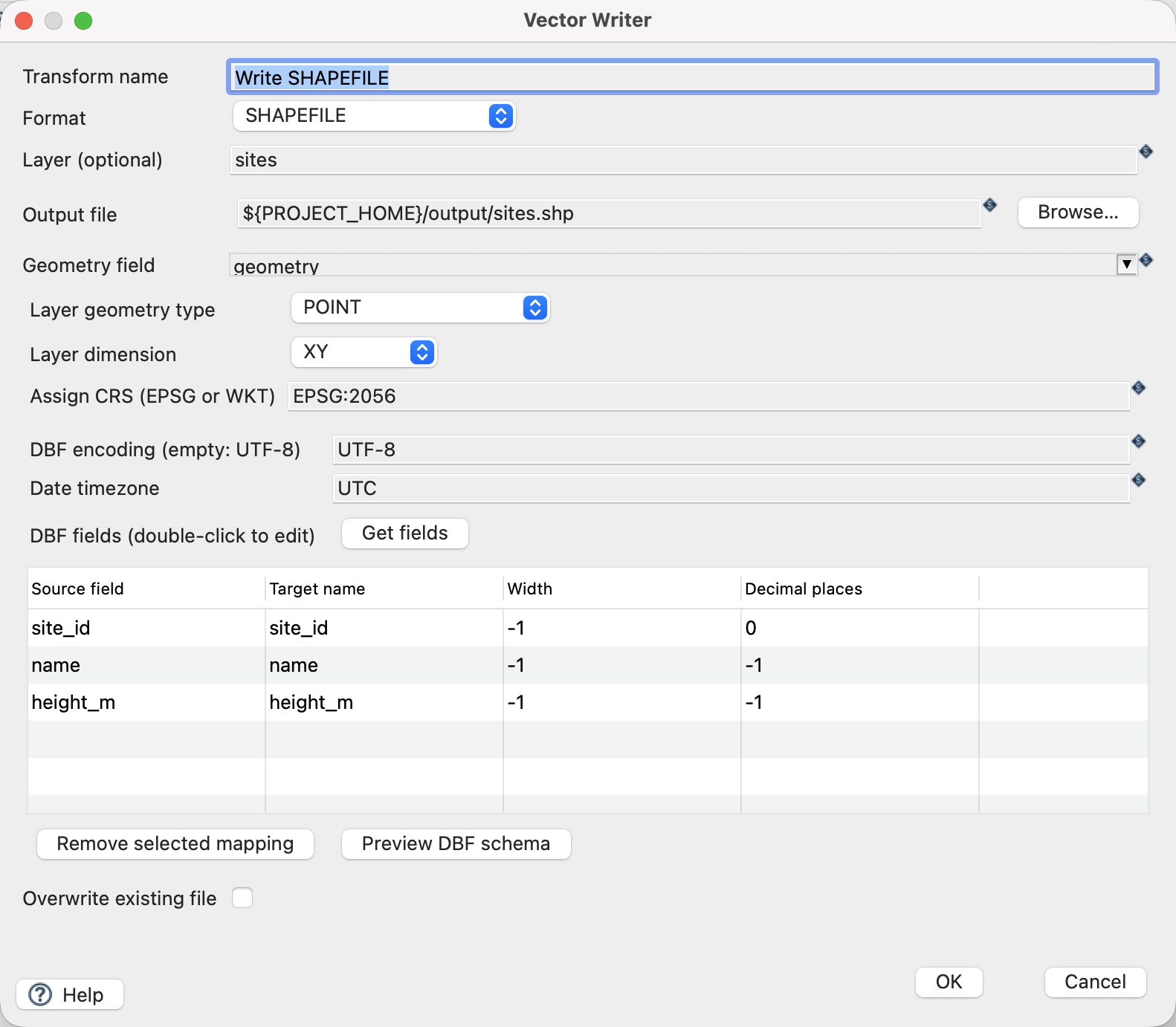
Configure the writer
| Setting | Value |
|---|---|
| Format | SHAPEFILE |
| Output file | ${PROJECT_HOME}/output/sites.shp |
| Geometry field | geometry |
| Layer geometry type | POINT |
| Layer dimension | XY |
| Assign CRS | EPSG:2056 |
| DBF encoding | UTF-8 |
| Overwrite existing file | Off |
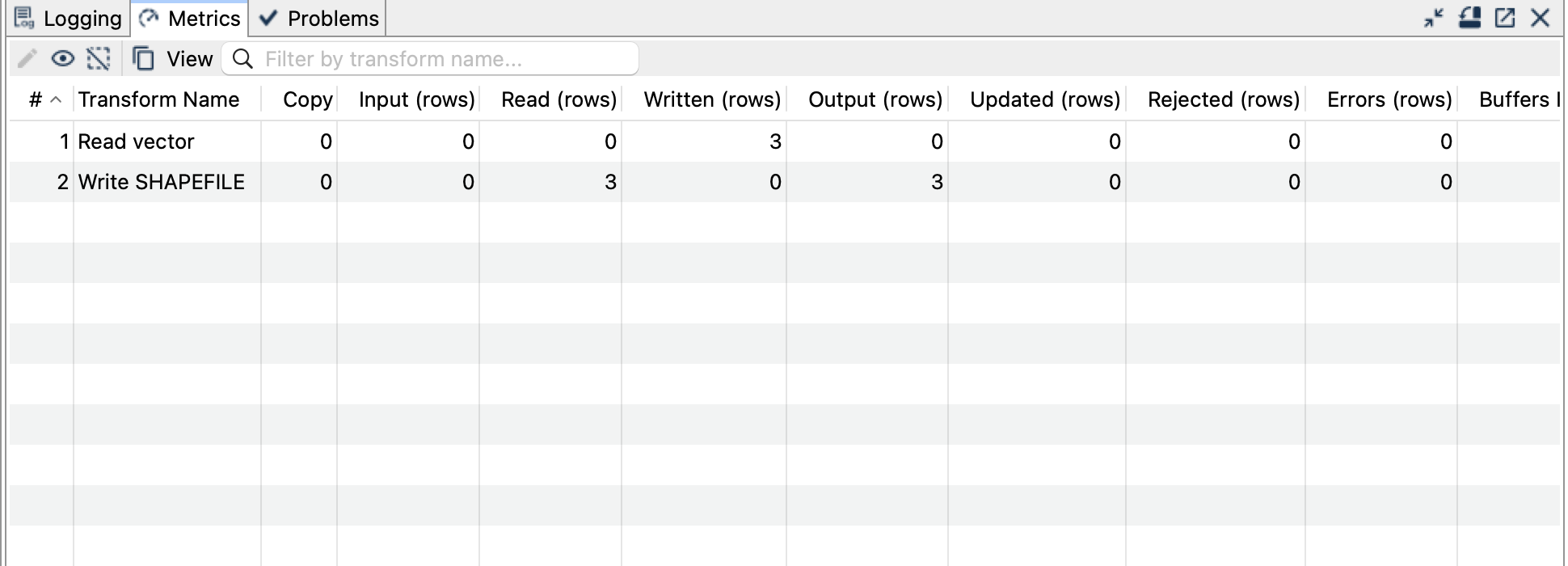
Run and check the result
Click Get fields in the DBF section to inspect mappings, then Preview DBF schema. The supplied names (site_id, name, height_m) fit the DBF name limit; keep the inferred widths for these small values. Preview the schema whenever your real data has longer names or large numeric values.
Save and run. Expect three features and several files with the sites stem: the geometry, index, attribute table, CRS and encoding files together form the dataset.
Open and run read-shapefile.hpl. Its reader uses ${PROJECT_HOME}/output/sites.shp; its writer creates output/shapefile-readback.gpkg. Verify three points, Brücke and the three height values in the output.
Things to watch out for
- Share all Shapefile sidecars together, not just
.shp. Keep their basenames identical. - DBF field names are limited to ten characters. Shortening and character replacement may change names; explicit mappings and the schema preview make the result predictable.
- Width and decimal settings can truncate text or round numbers. Check the result against the source before distributing it.
- Curves are linearized; choose a suitable geometry family and dimension. This tutorial uses XY points only.
- There is no append/update mode here. Before repeating, choose a new stem or remove all generated sidecars for
sitesfromoutput.
The CRS controls assign a coordinate reference system; they do not reproject coordinates. All coordinates in this example already use EPSG:2056.