Calculate building statistics from an online COG
All raster tutorials · Vector Raster plugin
Repeat the building-only analysis with direct range reads from the public 2019 nDSM. The polygons remain local.
Before you begin
Set up the complete raster project. Tested on 3 October 2026, Apache Hop 2.19.0, Java 21.0.10, with the plugin builds recorded in the ZIP’s tested-environment.json. Use the local run configuration.
Complete project ZIP. Individual pipelines need the data and metadata from that ZIP.
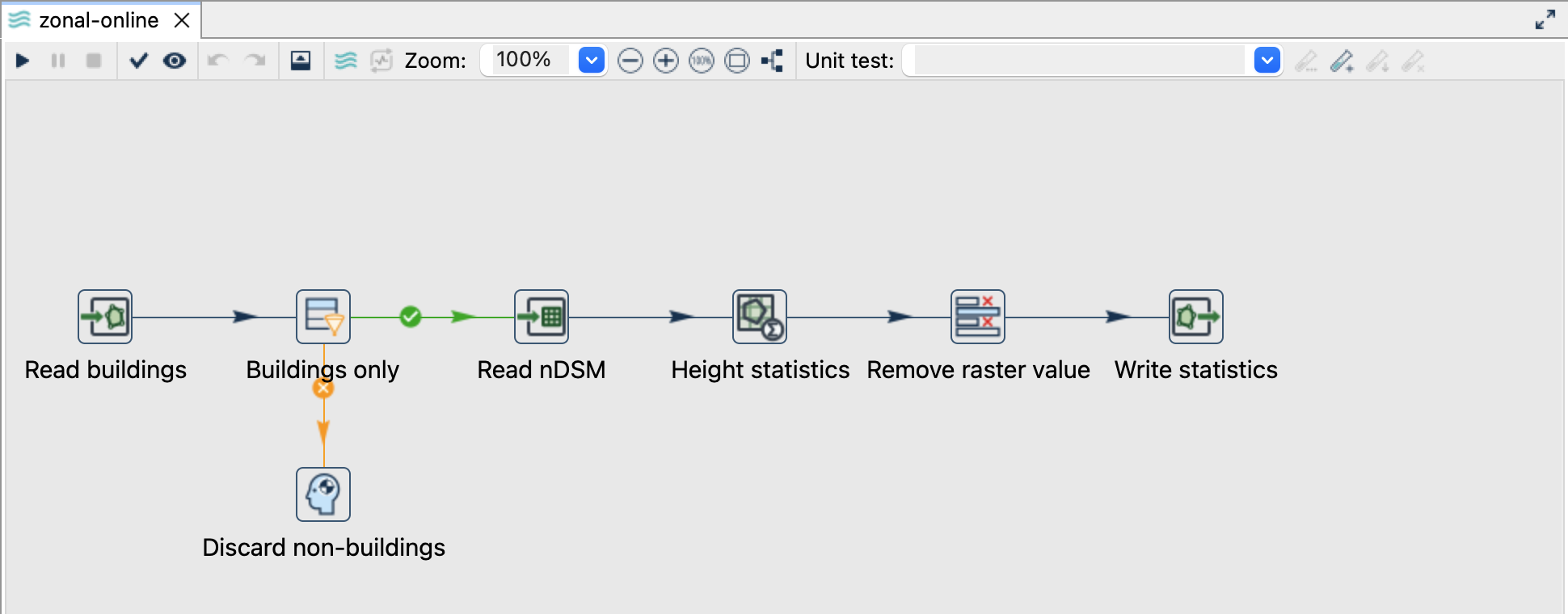
Change the source, keep the analysis
- Complete the local zonal tutorial first to understand the fields and expected result.
- Open
zonal-online.hpl. The localbuildingslayer and the explicitart_txt = Gebaeudefilter are unchanged. - Open Read nDSM. Its Value / Variable source is the URL below; the output field is
raster.
https://files.geo.so.ch/ch.so.agi.lidar_2019.ndsm_buildings/aktuell/ch.so.agi.lidar_2019.ndsm_buildings.tif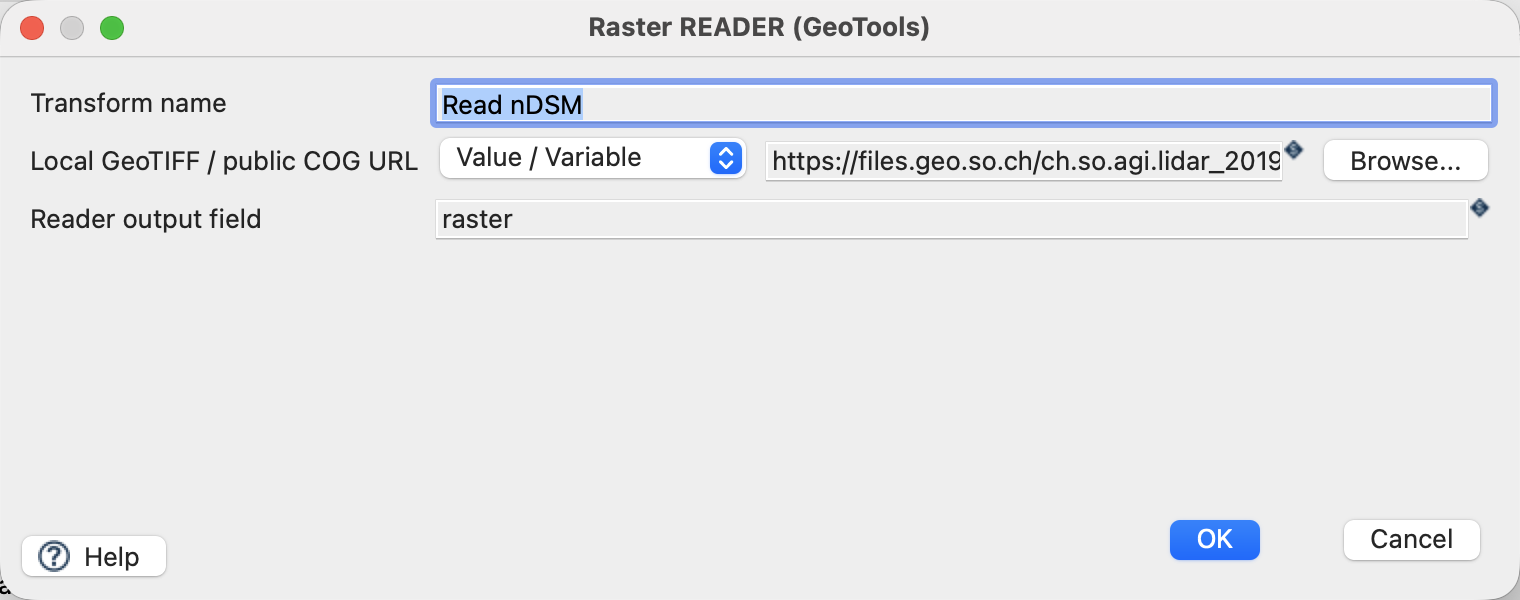
ZonalStats uses raster, geometrie, explicit CRS EPSG:2056, band 1, statistics mean min max and prefix height_, exactly as in the local example. No other land-cover categories enter the analysis. The output is ${PROJECT_HOME}/output/zonal-online.gpkg, layer building_heights.
Run and check
Run with an internet connection. The complete remote TIFF is about 2.64 GB, but the reader requests relevant byte ranges rather than downloading the whole file. The server must respond with HTTP 206 Partial Content and a matching Content-Range.
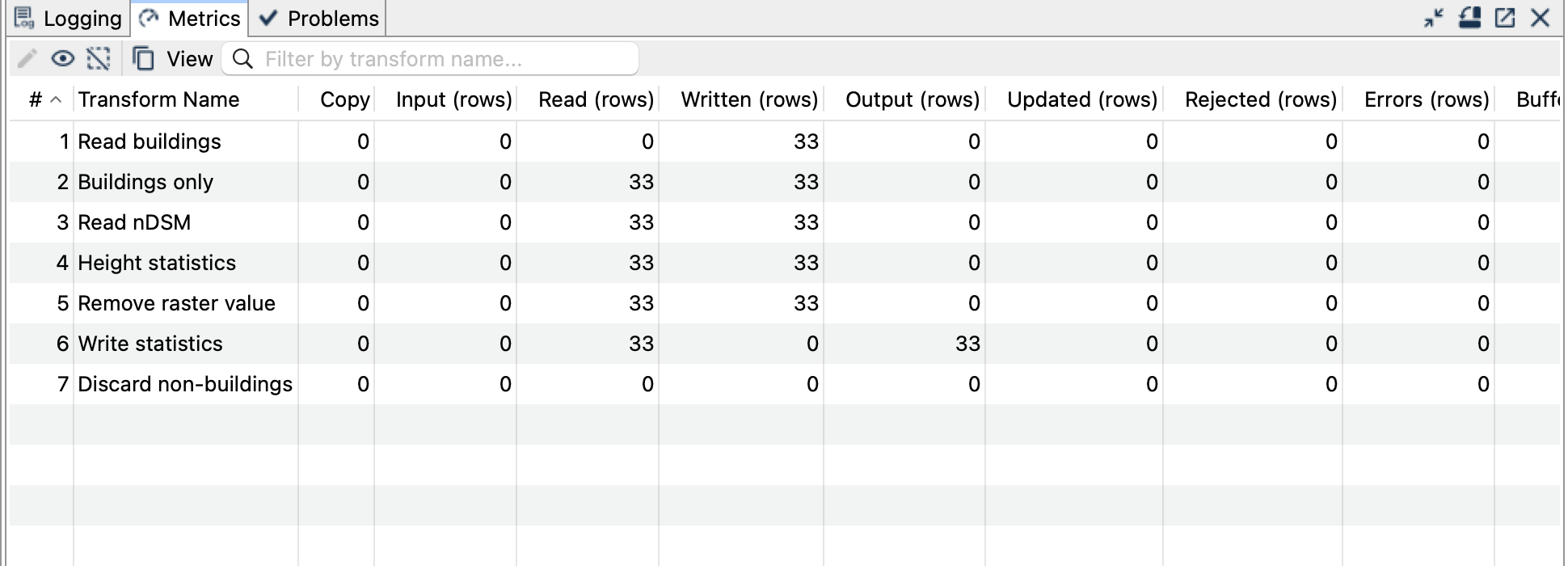
The checked online run produced 33 records: 29 OK and four NO_VALID_PIXELS. All statistics, attributes and geometries matched the local example. Match by building_id or T_Ili_Tid, not by result row order.
Things to watch out for
- This example uses ch.so.agi.lidar_2019.ndsm_buildings. A different acquisition or a non-normalised DSM changes the meaning of the results.
- The
/aktuell/URL can change independently of the fixed local sample. The ZIP records retrieval metadata and checksums; future online values may differ. - Public HTTP/HTTPS COGs are supported. There are no dialog fields for authentication or custom headers.
- A server returning a whole-file HTTP 200 response is not a valid range server for this reader. There is no full-download fallback.
- Network errors must fail the pipeline, not become successful zero-count results. The local variant remains usable offline.
- Preserve the output on failure for inspection, then remove only that generated file before retrying with the same path.